Can you use a smart trainer without a subscription?
Control a compatible smart trainer, ride in resistance or ERG mode, and follow structured workouts without automatically paying for a virtual-cycling subscription.
 Field guide / use-smart-trainer-without-subscription
Yes. A compatible smart trainer can usually provide manual resistance, a fixed power target, or ERG-controlled structured workouts without a virtual-world subscription. What you lose is the paid app’s environment, events, coaching layer, and convenience—not the trainer’s physical resistance unit.
The short answer: buy hardware for its open control options, not for a free trial. Before paying, confirm that your phone, watch, bike computer, or free software can control the exact trainer in the mode you want.
Separate the four parts of indoor training
A subscription feels mandatory when these four jobs are bundled together:
- Trainer: measures speed or power and changes resistance.
- Controller: tells the trainer what resistance, grade, or power to hold.
- Workout source: provides the timed intervals and targets.
- Display and entertainment: shows data, scenery, races, video, or a film.
A paid platform can do jobs two through four elegantly. It is not the only way. A compatible bike computer can control a trainer while a television plays something unrelated. A maker’s basic app may set resistance. Free software may run a workout file.
Check control compatibility before buying
“Bluetooth” alone does not prove that two products can control each other. One device may only receive power data while another can send resistance commands.
Look for the trainer’s supported control protocols and the controller’s compatibility list. ANT+ FE-C is a widely supported trainer-control protocol. Some products also support Bluetooth trainer control, but implementation and device limits vary.
Garmin states that compatible devices can control ANT+ FE-C trainers and offers free ride, follow workout, set power, set grade, and set resistance options depending on the device. That means an existing compatible Edge or watch can replace a subscription for many simple sessions.
Confirm all of this for the exact models you own. Also check whether the trainer accepts only one controlling connection at a time; a hidden app connection can prevent your chosen controller from taking charge.
Choose the simplest no-subscription mode
Manual resistance
You select a resistance level and shift gears to change effort. This works for easy endurance rides, technique practice, and unstructured sessions. It asks you to manage power or effort yourself.
Fixed power
The controller tells the trainer to hold one wattage. This is useful for steady Zone 2 work. Change the target when you want a harder or easier block.
ERG workout
ERG mode changes resistance to hold each power target in a structured workout. It is convenient for intervals, but it is not magic: you still need a sensible workout, suitable cadence, calibration where required, and an honest power baseline.
Free ride with data only
The trainer can transmit power and cadence while you change resistance or gears manually. This is enough if your goal is simply consistent indoor riding.
Watch for ecosystem-locked features
The physical trainer may be open while one headline feature is not. Virtual shifting, dedicated handlebar buttons, steering, game controls, and smart-frame gears can depend on a specific app, firmware, or accessory combination.
Ask before buying:
- Can I install a normal cassette and use the bicycle’s gears?
- Can the trainer be controlled without an account?
- Does manual mode remain available if a service ends?
- Will my existing watch or head unit send control commands?
- Does virtual shifting work outside the advertised platform?
- Can firmware updates and calibration be completed without a paid plan?
If normal mechanical shifting matters, include cassette type, freehub body, axle standard, and derailleur compatibility in the decision. Read the indoor trainer comparison before choosing hardware.
Build a minimal setup
For steady indoor riding, prioritize:
- a trainer approved for the bicycle and rider load;
- the correct axle adapters and cassette or virtual-cog setup;
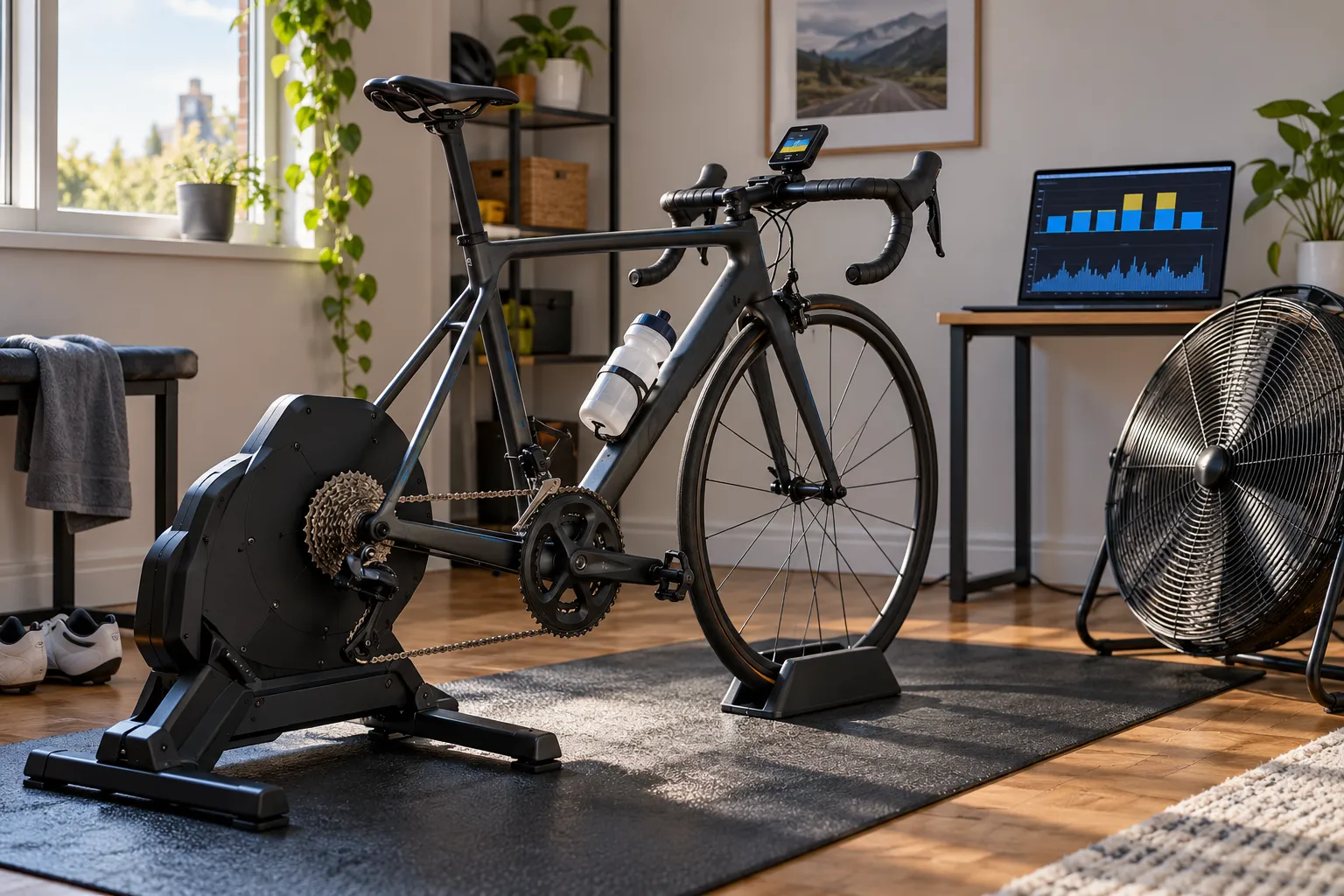
- a large fan aimed at your torso and face;
- a stable, washable floor area;
- water and a towel that does not obstruct controls;
- one controlling device;
- a simple workout or effort target.
Cooling and stability matter more than a large screen. The first indoor cycling setup guide explains why.
Protect the bike as well. Sweat can reach stem bolts, headset parts, bar tape, and the floor; use the indoor sweat-protection routine.
Decide whether a subscription earns its place
Pay for a platform when its social rides, races, scenery, coaching, training library, or friction-free setup makes you ride consistently. Skip it when you want steady power, your controller already runs workouts, and entertainment comes from somewhere else.
Use a one-month test rather than guessing. Complete the same three sessions with your simplest free controller. If the setup is reliable and you look forward to using it, you have your answer. If boredom or setup friction keeps winning, a paid experience may be valuable.
Do not judge only by the subscription price. Include the screen, computer, adapters, cassette, mat, fan, sweat protection, maintenance, and time needed to move the bike indoors and out. The budget trainer setup guide helps total the system.
Your next step
Find the exact trainer manual and the compatibility page for your existing watch, computer, or phone. Verify one no-subscription control path—manual resistance, fixed power, or ERG workout—before buying hardware.
Sources and further reading
- Garmin: controlling a smart trainer with a compatible Garmin device
- Garmin: wireless connection options for Tacx smart trainers
- r/cycling demand signal: indoor setup without an ongoing subscription — used as an editorial question signal; product suggestions in the thread were not treated as verified recommendations.
- r/cycling demand signal: smart trainer, power meter, and training-plan requirements — used as an editorial question signal.
- r/IndoorCycling demand signal: using a smart trainer after cancelling a membership — used as an editorial question signal.